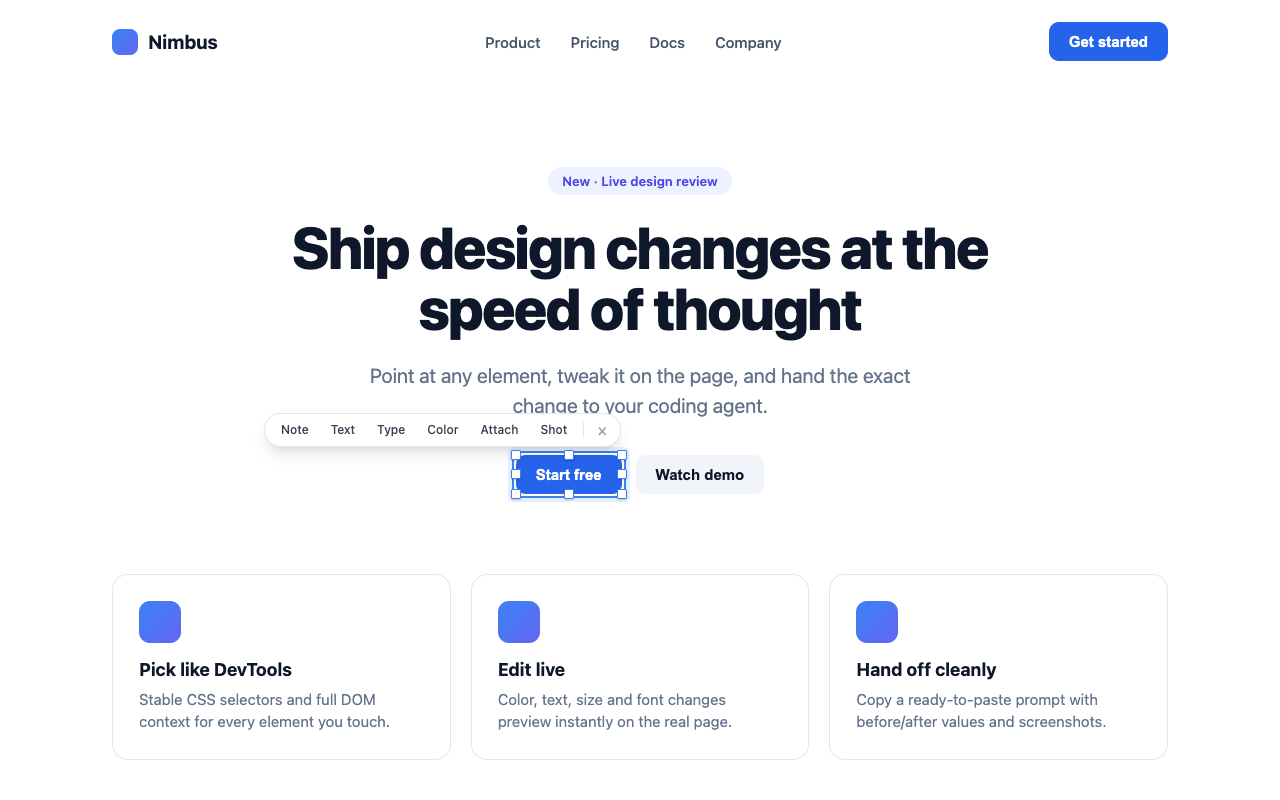
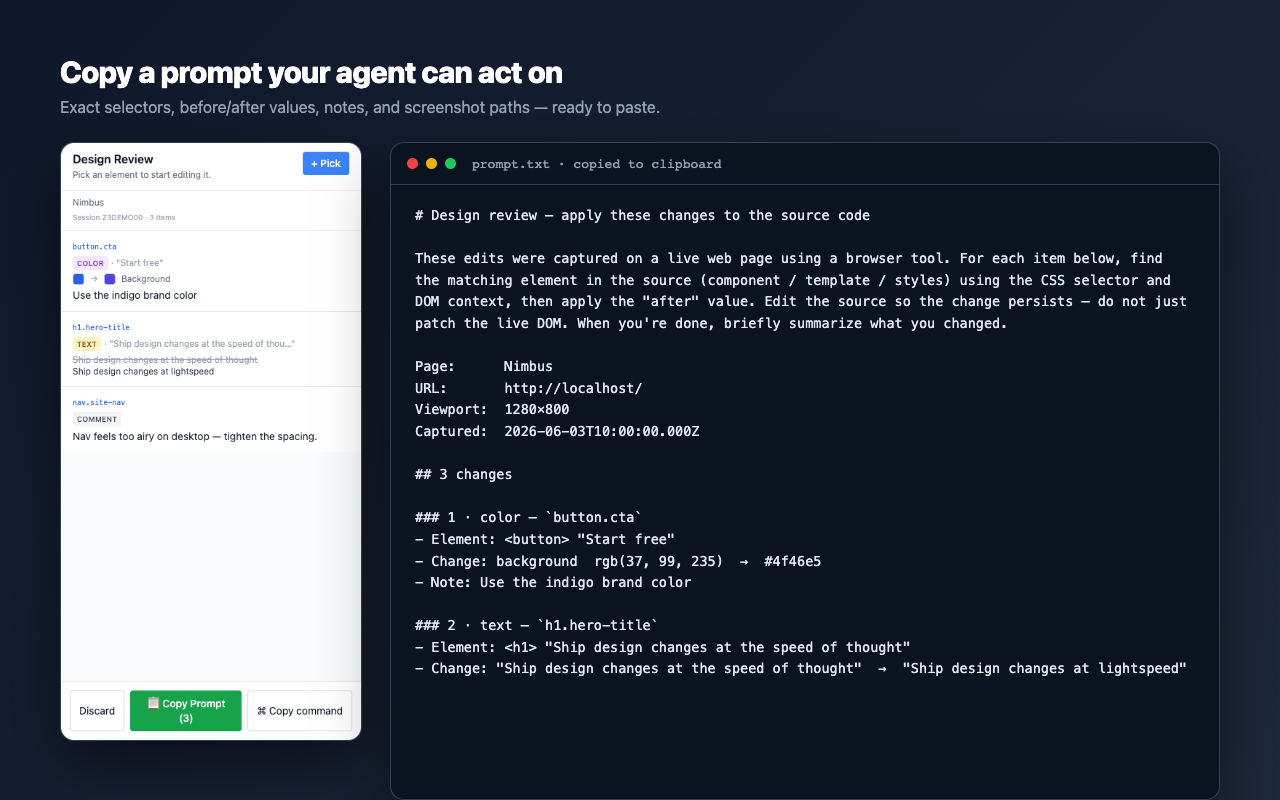
Pick any element like DevTools, tweak its design live on the page, then copy a ready-to-paste prompt your AI coding agent can apply to your source.
No account · no servers · nothing leaves your machine.
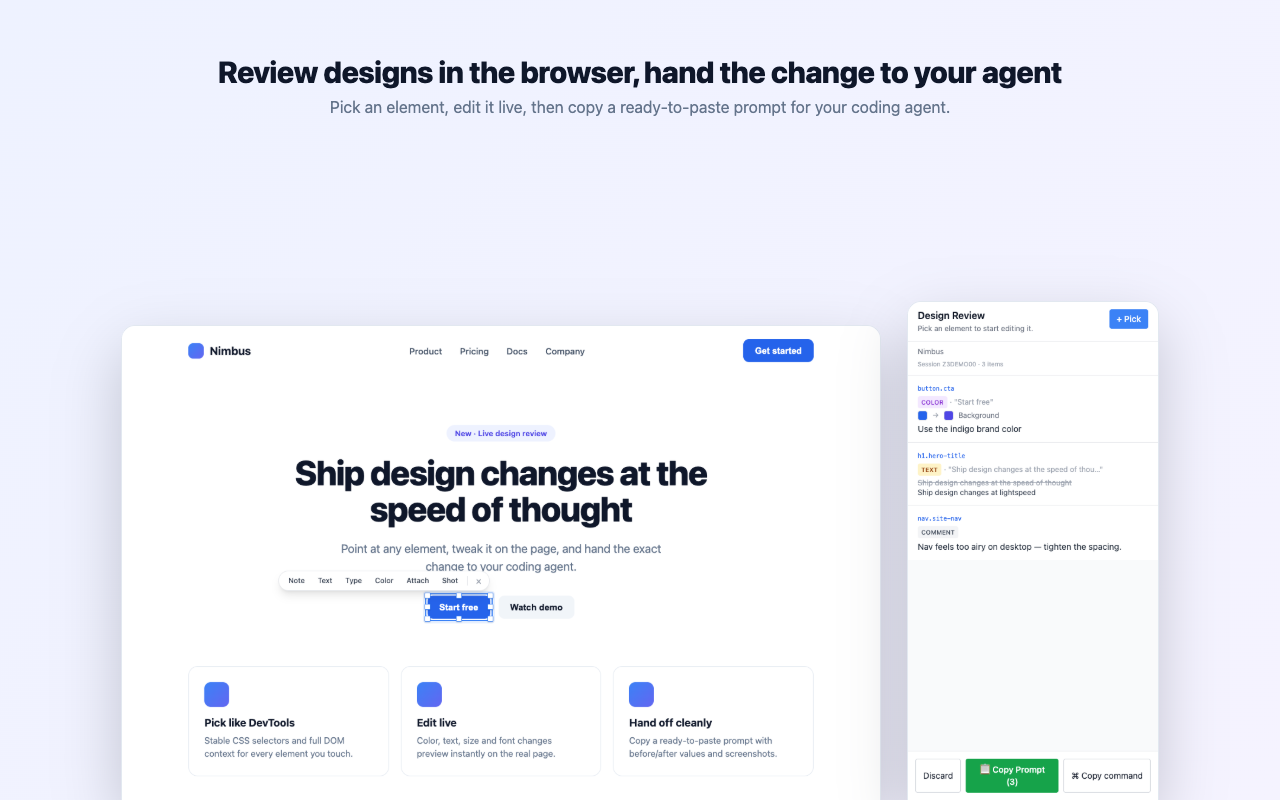
How it works
Three steps from "this should be different" to a change your agent can make.
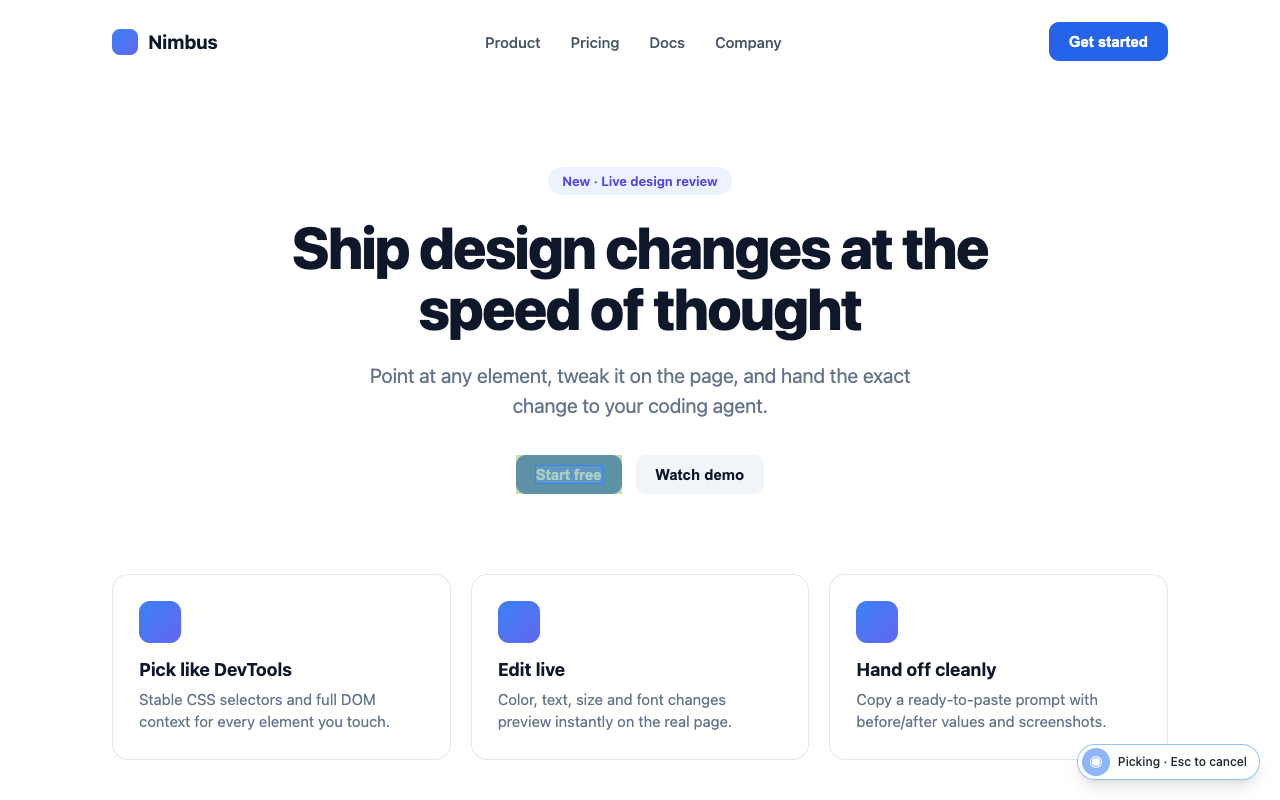
Hover and click any element to capture it with a stable CSS selector and full DOM context — no fragile, hashed class names.

Change color, text, size, or font and watch it preview on the real page. Attach annotated screenshots and notes for anything visual.

Get a ready-to-paste prompt with exact selectors, before/after values, notes, and screenshot paths. Paste it into Claude Code and it edits your source.

Why you'll like it
Real CSS selectors and DOM context your agent can actually find in the source.
Every color, text, resize, and font-size change previews instantly on the page.
Circle, arrow, pen, and text annotations travel with the review by file path.
No backend, no tracking. Reviews go to your clipboard and your Downloads folder.
"Copy command" launches Claude Code seeded with the review in one paste.
Works on whatever you're building — your app, a staging URL, anything.
Add Design Review to Chrome and turn visual feedback into changes your agent can ship.
Add to Chrome — it's free